

Meet Successful Joe.
Joe owns Successful Auto Sales. He's somewhat new to the auto industry and needed one smart, reliable, easy-to-use system to run his car lot. As an owner-operator, Joe wears a lot of hats. He partnered with KGI Dealer Solutions because of the quality products and caring support. He didn't want to end up like his brother, Average Joe.
Here's everything Joe uses to run his dealership.
Managing the dealership.
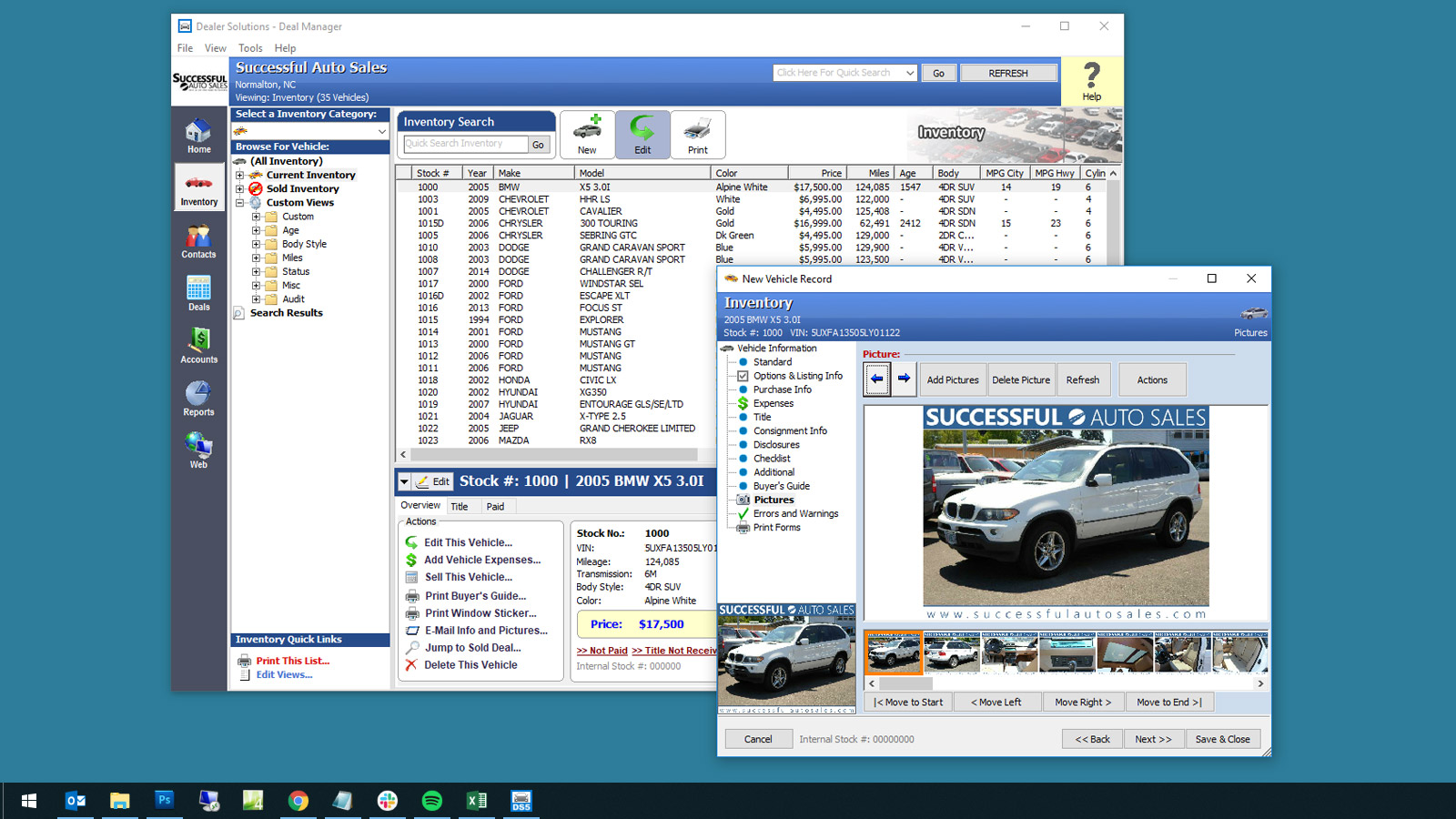
It all starts with a great DMS. Easy to use, fast, cloud-based, accessible from anywhere. The KGI DMS is the system Joe runs his lot on every day.
- Manage inventory, customers, and deal jackets
- Prepare price quotes and out-the-door totals
- Buy Here Pay Here accounts, payments, and repos
- Sales, gross, and tax reports for any date range
- Fast, friendly Carolina-based tech support
Home away from office.
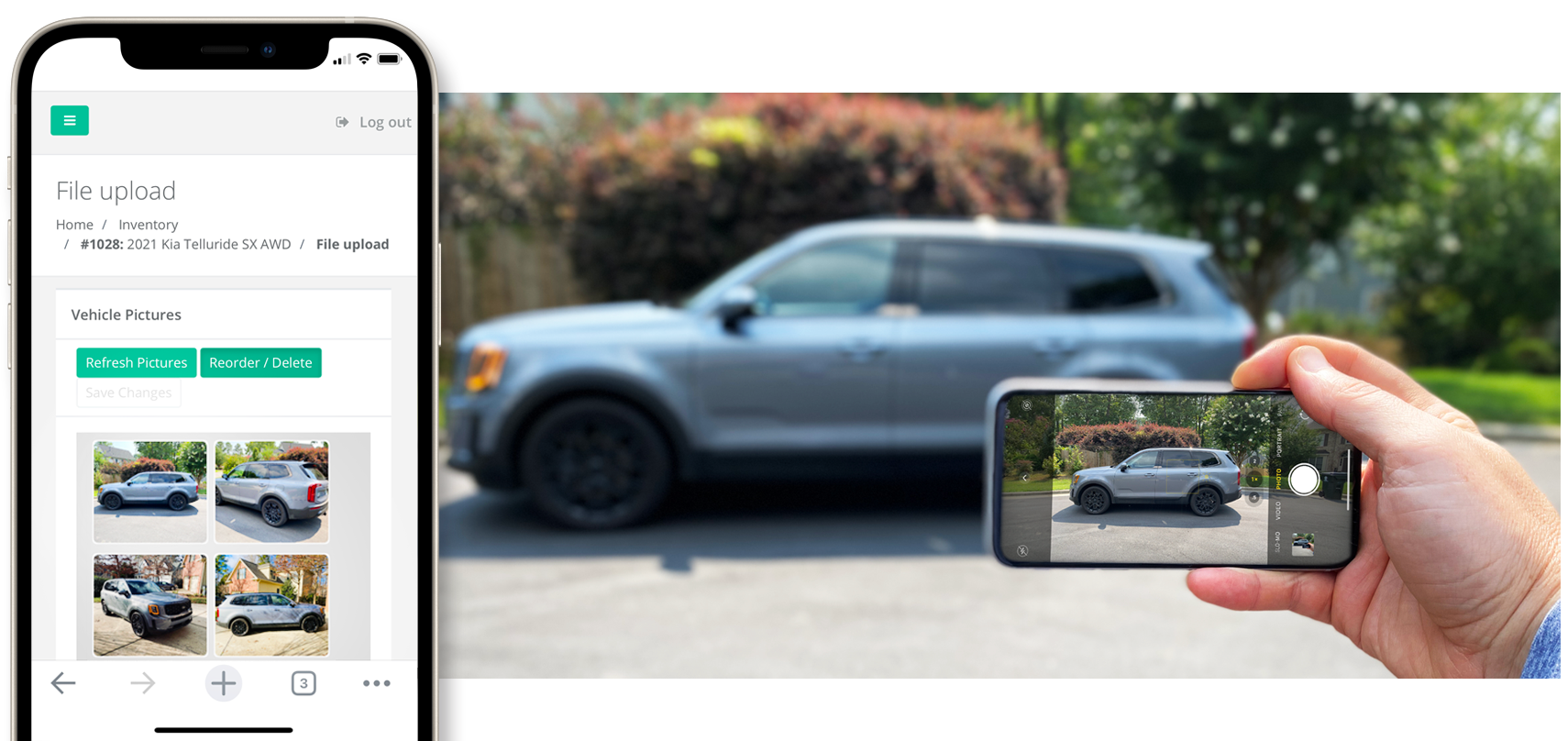
Work from anywhere is the new normal. Joe uses KGI at the store, at home, and on the lot from his phone. All it takes is an internet connection.
- Scan a VIN, snap photos, and add a car to the lot from your phone
- Syncs instantly with the DMS and the website
- Install the desktop software anywhere there's Wi-Fi
- iPad, iPhone, Android, Mac, Windows - one login
Running deals and DMV paperwork.
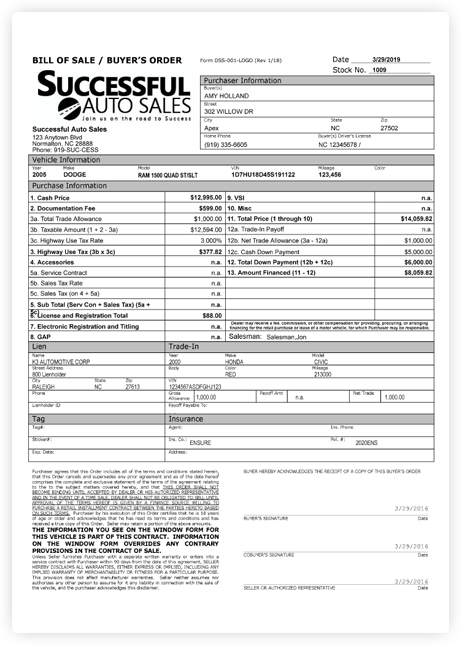
A fast, clean deal creates 5-star reviews and word-of-mouth referrals. KGI was built around NC and SC paperwork from day one. Every form auto-fills with the deal data.
- Every NC DMV form auto-fills with deal data
- Plain-paper printing for everything except MVR-2
- Cash, finance, wholesale, and BHPH templates built in
- Branded buyer's orders with your dealership's logo
- Out-the-door price calculator with doc fee and tax baked in
SuccessfulAutoSales.com.
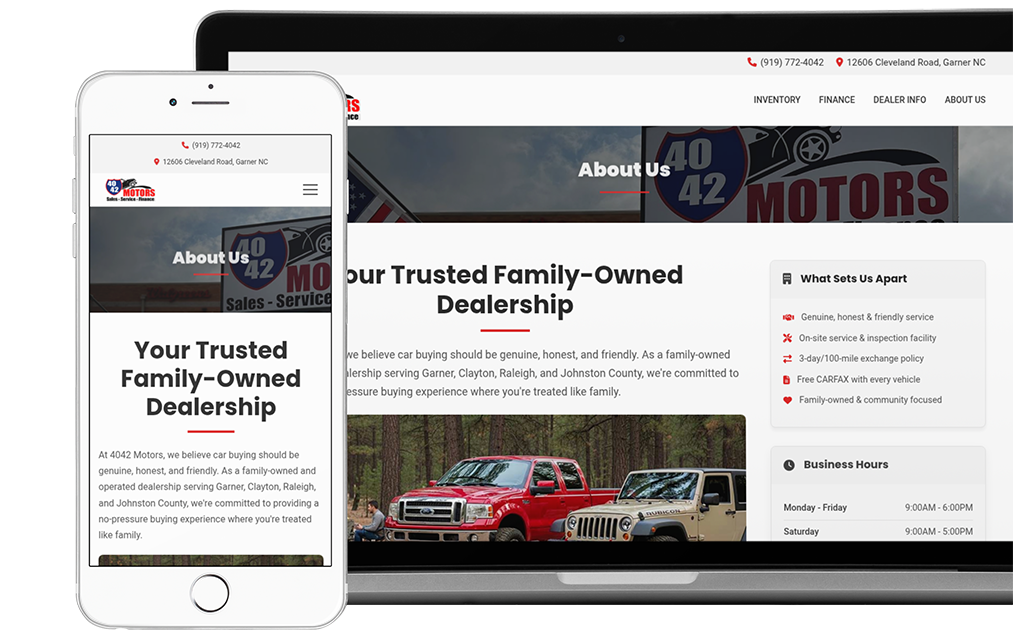
Average Joe has a Facebook page. Successful Joe has a real website that loads fast on a phone, shows his whole inventory, and ranks on Google. Custom-designed, content-driven, mobile-first.
- Custom design that reflects Joe's brand, not a template
- Mobile-first, fast, and built for AI search
- Inventory syncs in automatically from the DMS
- Hosted credit applications that import as DMS leads
- Local SEO body-style pages drive in-market shoppers
Engaging Facebook users.
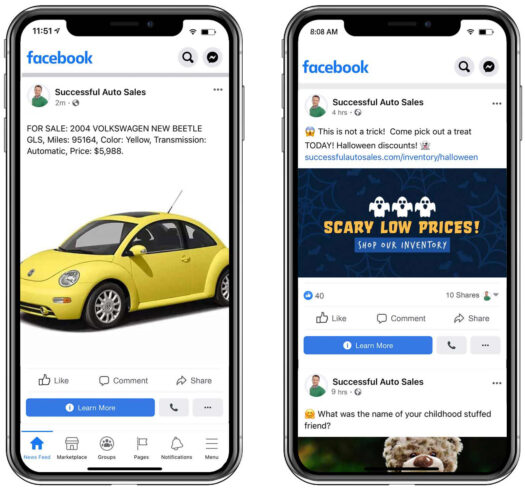
Joe doesn't have time to build Marketplace listings or hunt down content for his Business Page. KGI Social for Facebook handles both, plus an hourly inventory feed for paid Facebook ads.
- Hourly inventory feed for Facebook Automotive Inventory Ads
- One-click posting to your Business Page newsfeed
- Facebook Marketplace posting tool: drag-and-drop photos, post a car in about 3 minutes
- Engagement image library (trivia, holidays, this-or-that) so the page never goes quiet
In search results and AI responses.
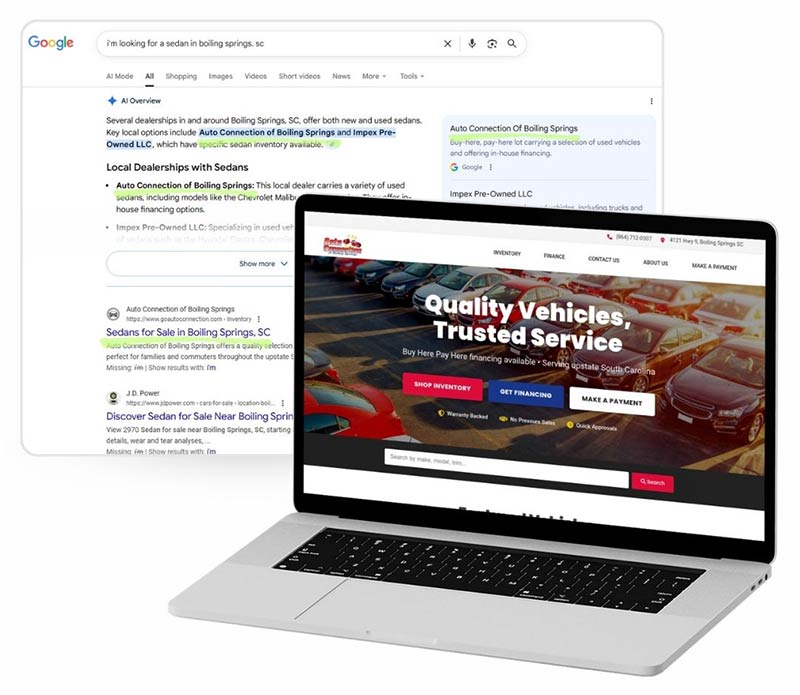
Joe needs to be in Google's local map pack, in Bing's results, and in Gemini's AI answers when shoppers search. KGI handles the automotive SEO work, sets up his Google Business Profile, optimizes Bing Places, and gets him cited across local directory sites.
- Google Business Profile setup and optimization
- Bing Places for Business listing
- Local SEO body-style and city pages on the dealer website
- Directory listings across the major auto and local-business sites
- Schema markup tuned for AI search engines
An AI chat agent on the website.
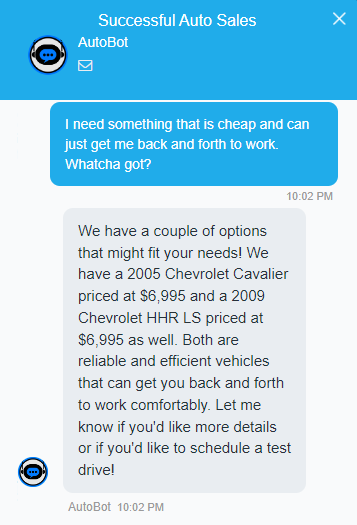
Shoppers visit at 11pm. Joe is asleep. The KGI AI Chat Widget answers their questions in his voice, pulls inventory from the live feed, and captures leads while he's off the clock.
- Trained on Joe's website content and inventory
- Answers basic finance, hours, and vehicle questions
- Captures name, phone, and the vehicle the shopper was looking at
- Leads route into the DMS as new inquiries the next morning
The KGI Network of NC sites.
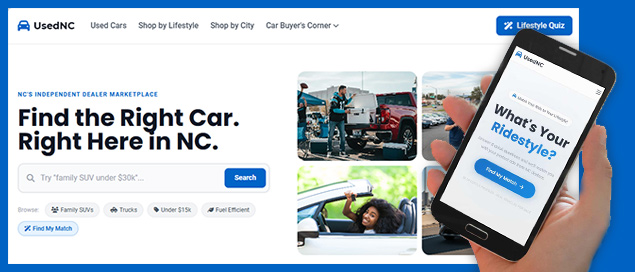
Joe doesn't have CarGurus money. He doesn't need it. The KGI Network puts his inventory in front of local NC buyers on three sites for $24/mo: UsedNC.com, the area-code site for his region, and CarDealersNC.com.
- Equal visibility for every listed dealer (no paid placement)
- NC independent dealers only - no franchise stores
- $24/mo flat for three sites, no per-lead fees
- A year on the network costs less than one month of CarGurus
Reviews that move the needle.
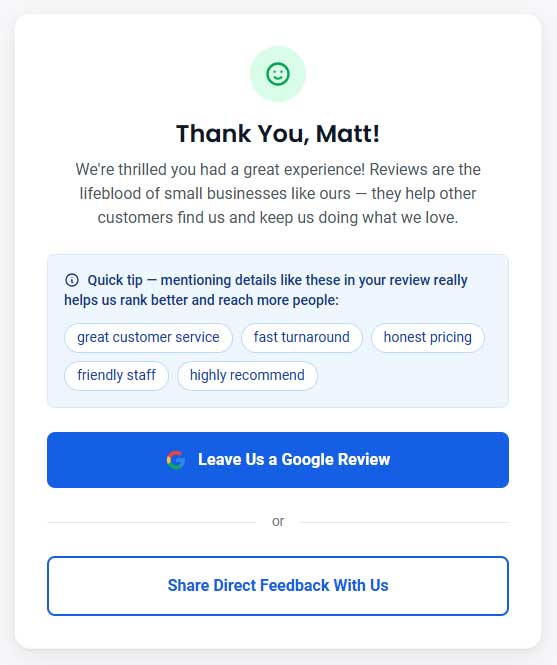
Google Maps now answers searches with Gemini AI, and Gemini reads the actual text of reviews. Generic 5-stars don't help. Keyword-rich reviews put Joe's dealership in the answer. LeaveAReview.net coaches customers on the right phrases before they post.
- Custom-branded review page on leaveareview.net
- Tap-to-copy SEO keyword suggestions tuned for car dealers
- Direct-feedback escape valve before unhappy customers go public
- Custom printable QR-code handout for deal jackets
- $99/year, all included, fully Google-compliant (no review gating)
Custom domain and email setup.
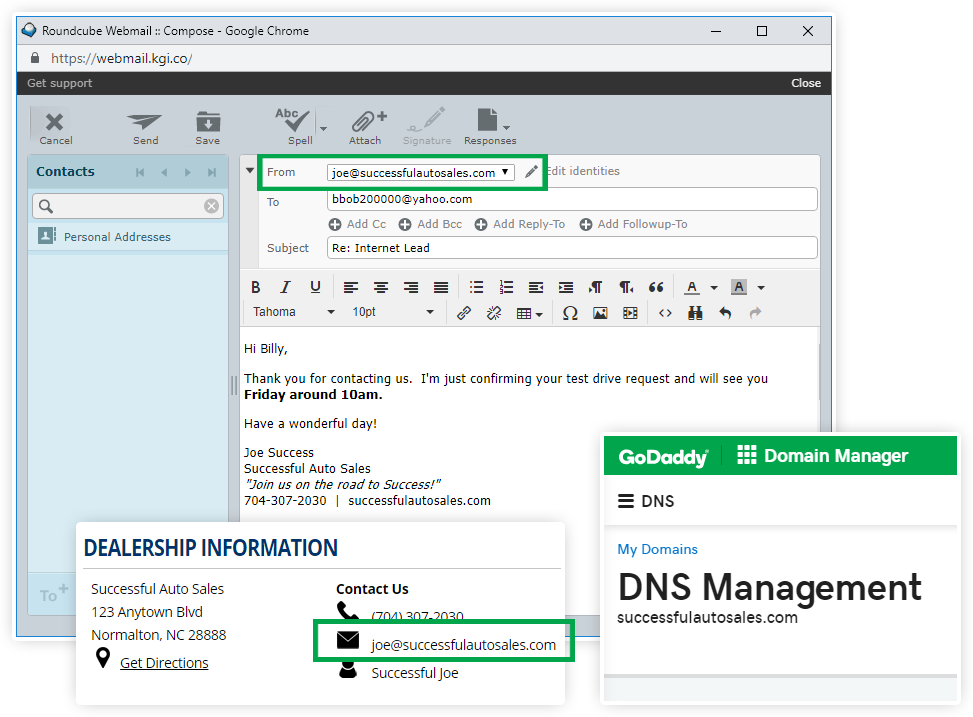
Joe's customers see sales@successfulautosales.com, not a Gmail address. KGI sets up the domain, the custom email accounts, and the lead routing so every inquiry lands somewhere a real person sees it.
- You always own your domain
- Hands-free domain renewal and DNS management
- Branded inboxes for every employee at the dealership
- Website leads feed into your CRM via ADF/XML
Craigslist without the hassle.
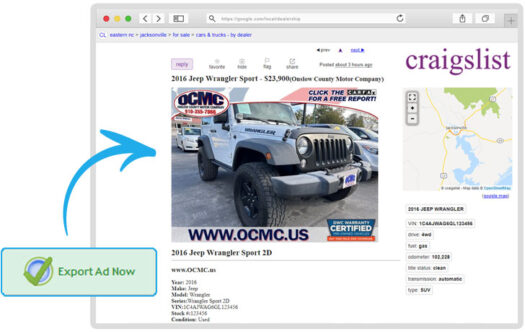
Craigslist still drives local buyers, but posting one car at a time eats hours. KGI's Craigslist posting tool cuts that work to a fraction.
- One-click ad creation pulled straight from inventory
- Save your own ad templates so every post looks consistent
- Unique short URL for each car (example: seecar.info/33bpk)
- Edit prices and details in the DMS, push the update to Craigslist
One feed, sixty places.
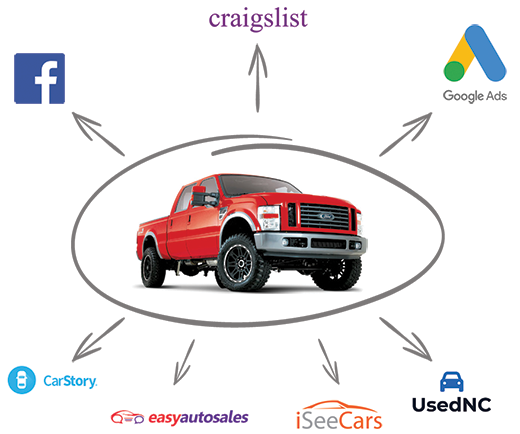
The internet is a big place. Joe is one guy. KGI feeds his inventory to every marketplace that matters so he doesn't have to upload anything twice.
- Completely automated, hourly syndication
- Feeds to CarGurus, Autotrader, Cars.com, Carsforsale.com, eBay Motors, and more
- Feeds to lenders: Credit Acceptance, Westlake, CUDL
- CARFAX and AutoCheck for vehicle history
- Fast support when something on a third-party site looks off

Be a Successful Joe.
Family-owned. Carolina-based. Built for independent used car dealers in NC and SC. Month to month, no contract. See pricing or get started.